What Is a Phishing Email?
What Is a Phishing Email? – 1/8/2019
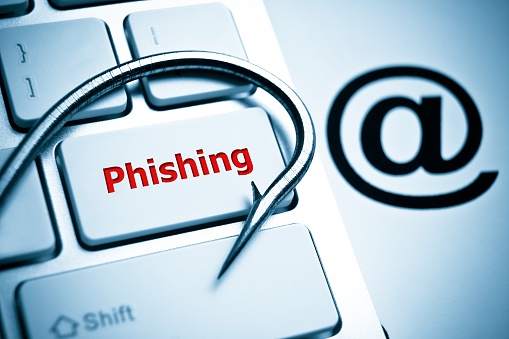
In today’s digital landscape, we have all heard about hacking. But our first impression of the term is that it’s a super technical process. However, most hacking attacks start with something simple called a phishing email. Phishing works like actual fishing. In the tech world, the hacker is the fisherman and you are the fish. The purpose of a phishing email is to trick you into giving them information such as your username and password.
The most common method of phishing is called credential harvesting. Credential harvesting is where a malicious link sent via email leads to a page that prompts you to enter your username/email and password. These can be very deceiving and often imitate a legitimate website. If you enter that information, your credentials get sent to the hacker’s server. The hacker can then use your credentials to log into your account and gain access to important information.
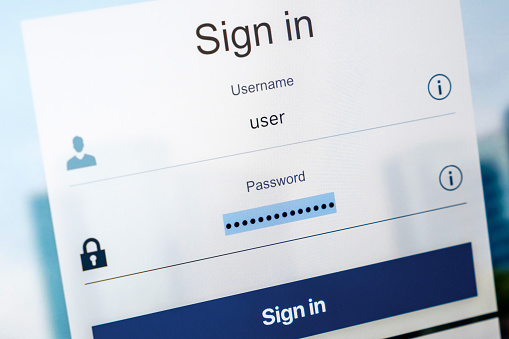
Phishing is extremely effective, because a lot of users don’t understand what it is or how to look for the red flags that indicate it’s a scam. Most people have an email these days, even if it’s only used at your place of employment. But not everyone understands what hackers are and how they work. When you are presented with a screen that needs you to enter your credentials, it’s easy to enter them in without thinking. Be wary though; phishing emails can look exactly like legitimate emails. Technology can be very complicated and daunting; some users do whatever they can to make things work without understanding what they are doing and why.
In order to prevent becoming a victim of a phishing email yourself, take extra precautions before opening an email from someone you don’t know or entering your username and password when prompted . If you aren’t sure if an email is legitimate, verify the source. Call your bank and confirm whether they sent the email, a bank will never ask you for your username and password, especially through email. If you get an email asking to verify your auto insurance policy, call your insurance company. Never give away sensitive information when prompted to by an email without first verifying the source.

When you get an email from a strange sender, delete it. Learn how to check any links provided so you can verify that it isn’t malicious. Forward the email to your technical department if you have one for work. This short article only scratches the surface; follow the links below for information on phishing, and feel free to contact us if you have any questions.
https://www.consumer.ftc.gov/articles/0003-phishing
http://www.phishing.org/what-is-phishing
https://www.scamwatch.gov.au/types-of-scams/attempts-to-gain-your-personal-information/phishing
https://www.knowbe4.com/what-is-social-engineering
https://www.chase.com/digital/resources/privacy-security/questions/fraud

0 Comments